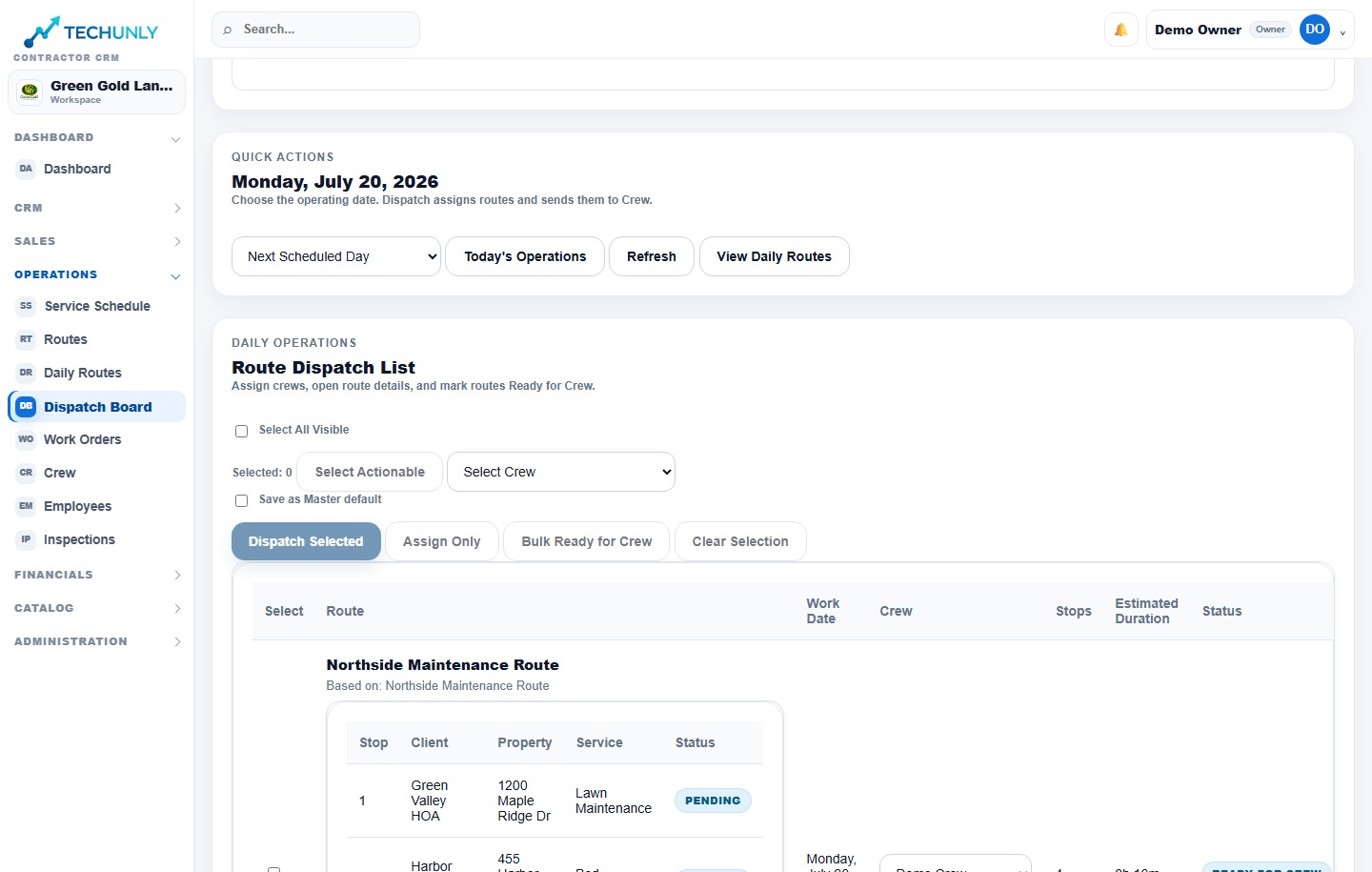
Your schedule connects the promise made to the customer with the team doing the work. Keep jobs, crew assignments and route details together in Techunly.
Product screenshots shown in English. Select the image to enlarge it.
01
See the work planned for the day
Before the crews head out, review the jobs on the schedule. A daily view helps the office organize the work in one place instead of treating every appointment as a separate conversation. Techunly supports daily scheduling as part of the same platform you use for estimates and projects.
02
Assign the crew to the work
A job on a calendar still needs a team. Use crew assignments to connect the planned work to the people responsible for it. As you prepare the day, check that the assignment makes sense for the property and the work your customer approved.
03
Connect dispatch to the field
Keep dispatch and route details with the plan. Field crews can consult their routes and assigned jobs in the Crew App. This gives the office and crew a shared reference when discussing where to go and what work is next.
Scheduling
Before you get started.
Can I assign crews to scheduled work?+
Yes. Techunly includes daily scheduling, crew assignments, dispatch and route details.
Can the field team see its assigned jobs?+
The Crew App provides mobile access to routes and assigned jobs, alongside clock-in, job completion and field updates.
Is scheduling included with estimating and invoicing?+
Yes. These workflows are part of the same Techunly platform. The Standard plan is $199.99 USD per month after the 30-day trial.
Billing details are collected through Stripe. Your subscription begins automatically after the trial unless you cancel. Billed monthly; cancel anytime.